DSphere AI Browser · AI Agentic Browser

Automation for everyone

No code. No scripts. Just ask. DSphere AI Browser lets AI agents like Claude Code, Codex and Cursor, or the built-in Chat, finish tasks in the pages you are already signed in to, with every step in view.

Free download · Windows and macOS
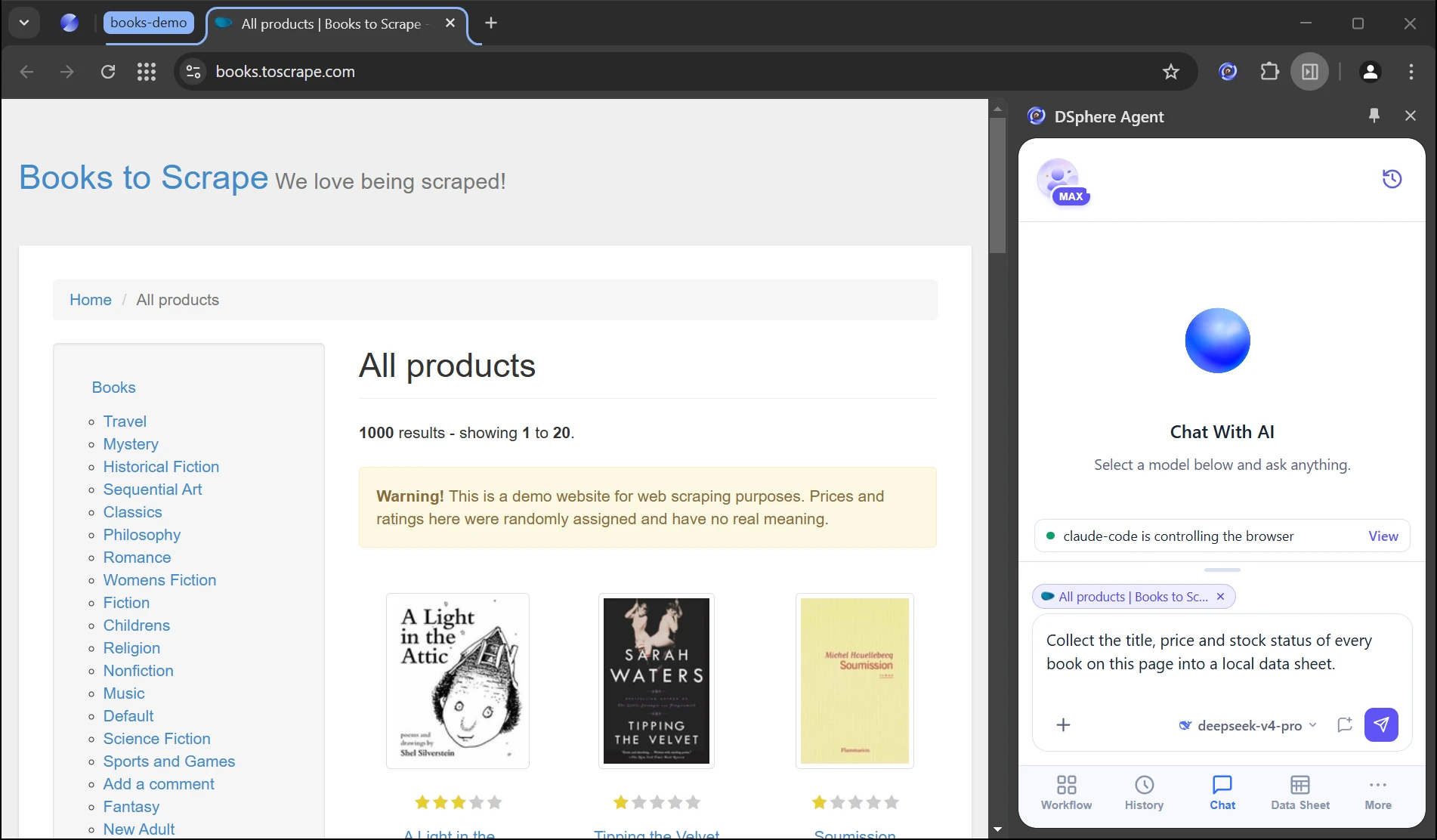
DSphere AI Browser side panel Chat: giving the AI a task on a signed-in page
Real screen capture on the public demo site books.toscrape.com.
Connect your AI agent

Your agent drives your browser

Claude Code, Codex, Cursor, WorkBuddy or the built-in Chat: say what you want, and it works in the pages you are already signed in to.

Install once

Open the side panel, choose Install MCP, pick your agent and connect.

Say it once

Describe the goal as you would to a colleague. No scripts, no recorded flows.

Watch it finish

It works in its own tab group. Pause, take over or stop at any time.

Agents supported today
  • Claude Code
  • Codex
  • Cursor
  • WorkBuddy
  • TRAE Work
  • Qianwen Office
See how agents connect →    The Skill is open source. View the code →
Parallel

Many tasks, all at once

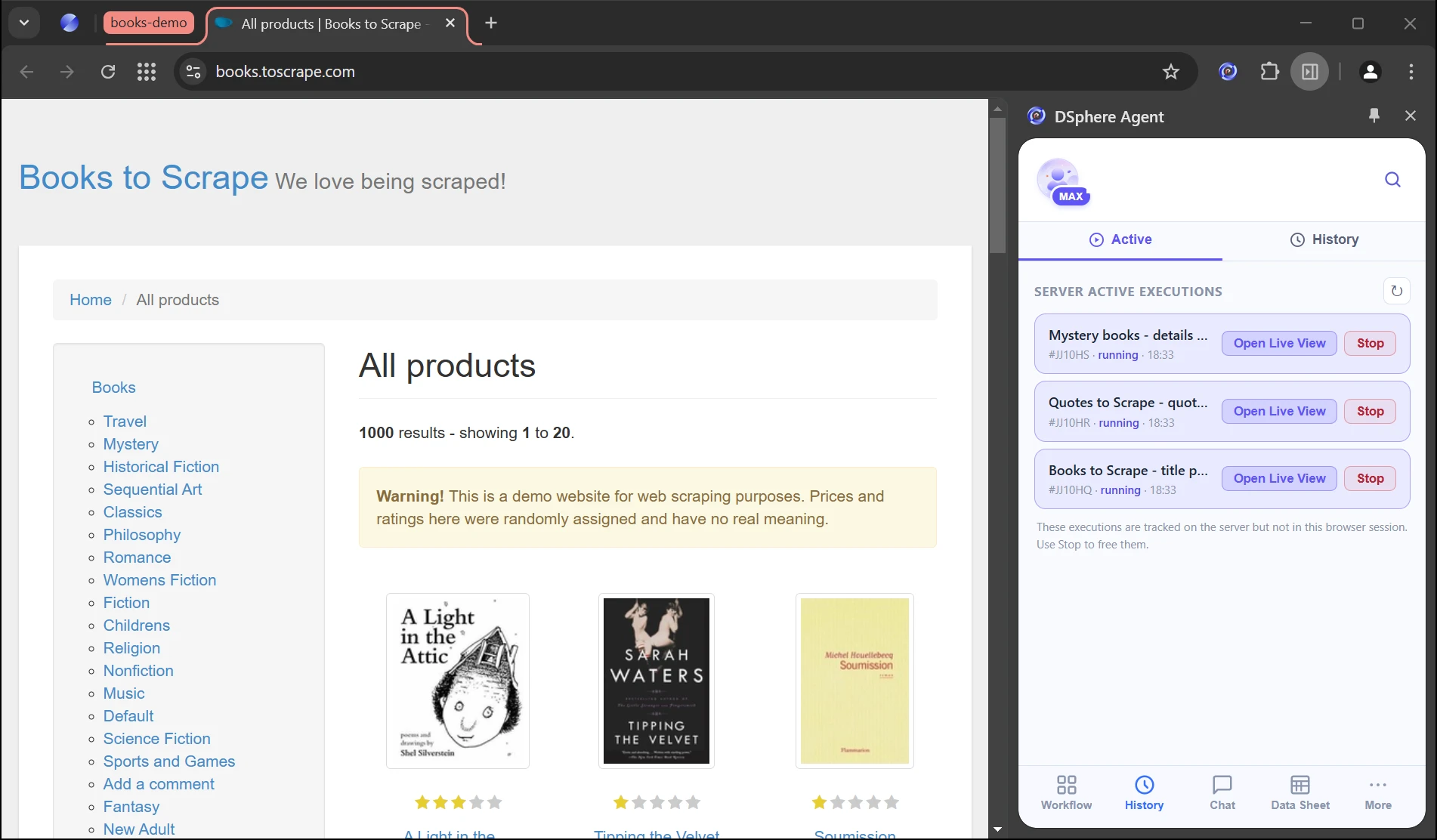
Every task gets its own tab group and its own sign-in session, so nothing collides. No queue, no virtual machines.

  • Its own tab group · Each task runs in a separate tab group, so pages never fight for focus.
  • Its own sign-in · Several accounts stay online at once, each session isolated.
  • One computer · No robot licences and no virtual machines.
DSphere AI Browser running several tasks at once, each in its own tab group
Data

Collect web data, let AI tidy it

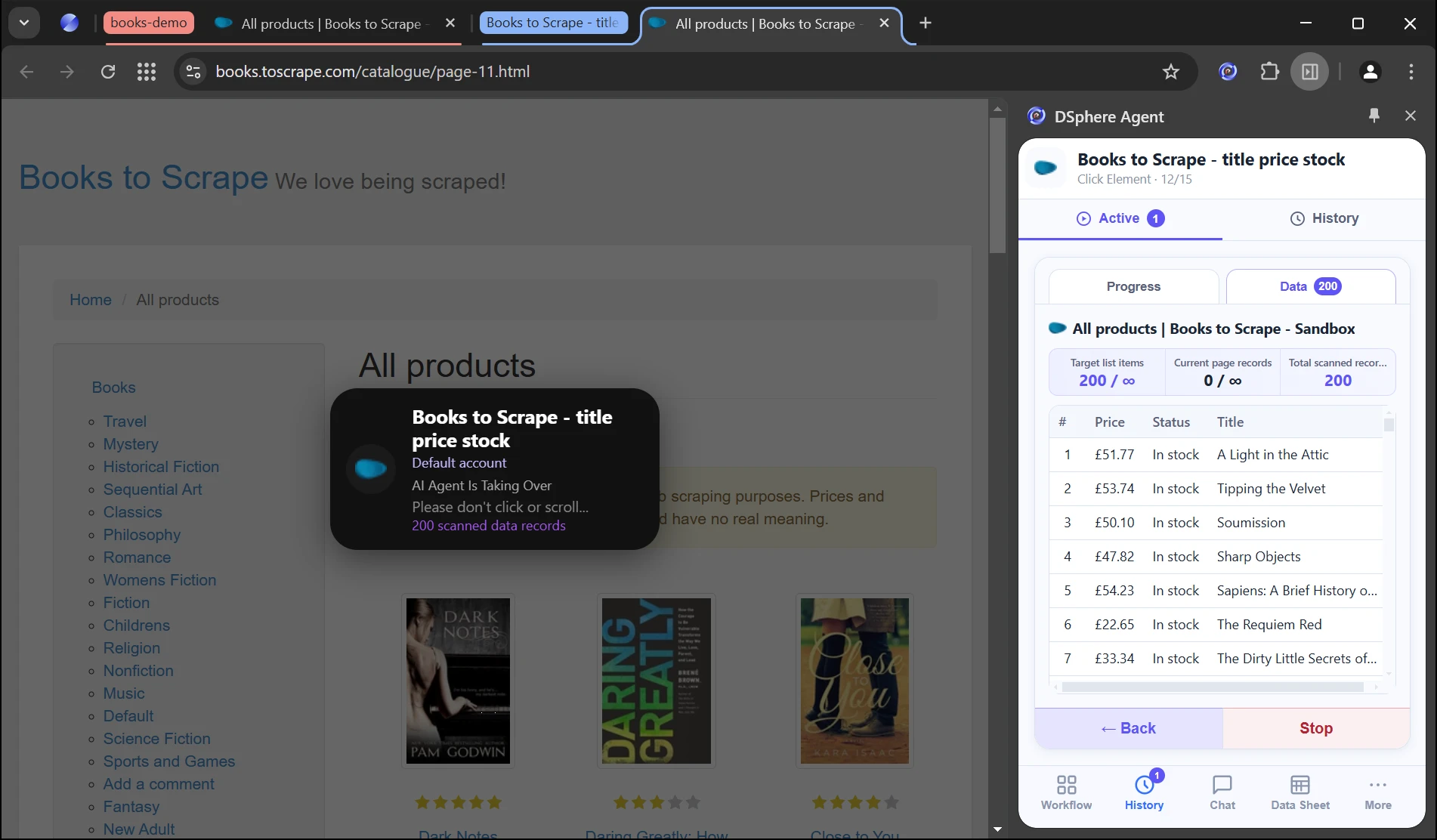
Have the agent collect page data into a local data sheet, then summarise and classify it with AI and export to Excel.

  • Collect in one sentence · Name the fields you want; the agent reads page by page and fills the sheet.
  • Process with AI · Summarise, classify and enrich the collected rows.
  • Export any time · Data stays in a local data sheet and downloads as Excel.
DSphere AI Browser local data sheet with collected rows and Excel export
Accounts

Accounts fill themselves in

Saved accounts fill sign-in pages for you. The agent only chooses which account to use; it never sees the password.

Speed

Agent ease, RPA speed

Describe the goal once: AI plans and verifies the steps, then repeats them on a schedule or in parallel, stepping in only when a step fails.

Sessions

No re-login

Reuse the sessions you signed in to in DsphereAI, so agents never have to sign in again.

Apps

Your everyday apps

Shopify, Amazon, TikTok, Notion, LinkedIn and 30+ more everyday apps, ready to use.

Use cases

Put everyday work on autopilot

From watching pages to running many accounts, hand it to your agent in one sentence.

Page monitoring

Watch pages for changes

Check this pricing page every morning and tell me if anything changes.

Study notes

Turn web pages into notes

Turn these 10 tutorials into notes: key points, topic and source link.

Office work

Fill in forms automatically

Fill in the sign-up form row by row from contacts.xlsx and check each submission.

Content

Quick content insights

Collect what these 5 accounts posted this week and sum up the main topics.

Multi-account

Run accounts side by side

Export today's order report from each of my 3 store accounts.

AI tools

Let AI tools work on the web

Have Claude Code open the signed-in dashboard and fetch today's numbers.

Which one?

Which DSphere browser is right for you?

DSphere makes two different browsers for different people, with different download pages.

Individuals & teams

DSphere AI Browser

AI agentic browser

Let AI take over repetitive web tasks.

For
Individuals and teams who repeat web tasks, collect data or manage multiple accounts.
Features
AI agents that operate web pages, data collection and processing, parallel tasks and isolated accounts.
Setup
Download and install it yourself. Available for Windows and macOS.
Managed by your organization

DSphere Workspace

DSphere Enterprise Browser

A secure browser and workspace for business.

For
Organizations that need to manage employees' work access and protect business data.
Features
Data loss prevention, unified app and account access, and browser security controls.
Setup
Deployed and managed by your IT admins. New organizations can create an account for a free trial.

Frequently asked questions

Who is DSphere AI Browser for?

Individuals and teams who need to repeat web tasks, collect data or manage many accounts.

Can I use it without coding?

Yes. Describe the goal in the built-in Chat, or let Cursor, Claude Code or Codex do it for you. No scripts or recorded flows.

How is it different from a regular browser?

Any agent can drive it, and it adds isolated accounts, reusable sign-in sessions, scheduled runs and data collection.

Is it the same product as DSphere Workspace?

No. DSphere AI Browser is an AI agentic browser for individuals and teams; DSphere Workspace is a secure enterprise browser deployed and managed by an organization. They have different download pages: get the AI Browser from work.dsphereai.com.

How do I get it, and what does it cost?

Download it free from the official download page (Windows and macOS) and create an account. Plan features and model costs are on the DsphereAI pricing page.

Let AI take over repetitive work

Download DSphere AI Browser and hand web tasks, data collection and multi-account work to one workspace.

Free download · Windows and macOS